
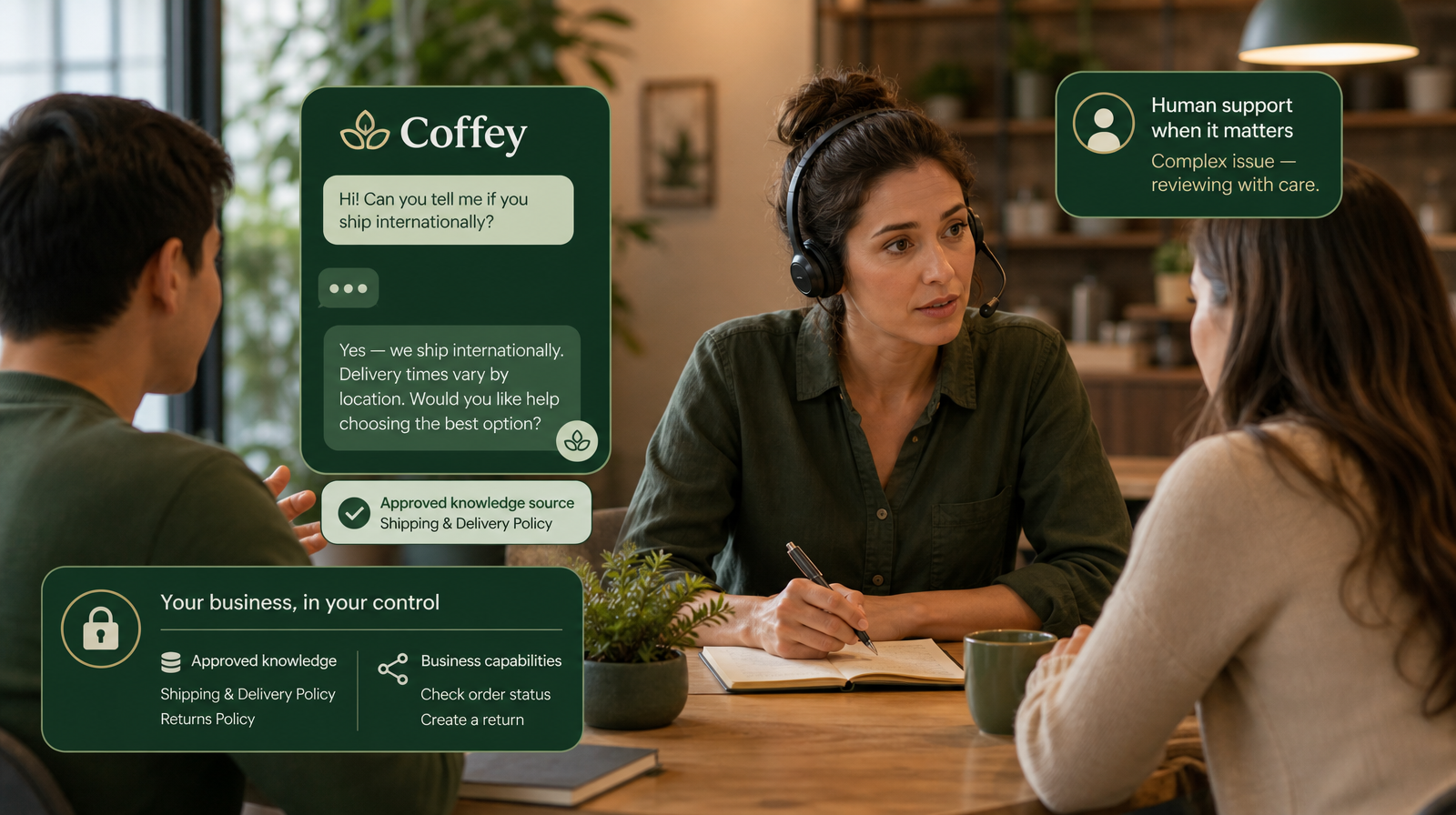
Every conversation about AI customer support eventually arrives at the same uncomfortable question: where do the answers actually come from? It is the right question, and for small businesses it matters more than any feature list. An AI assistant that answers quickly but answers from the wrong source is worse than no assistant at all. Customers remember the wrong answer, not the fast one.
The practical response is an approved knowledge base: a small, reviewed set of answers your business has signed off on, maintained by named owners, with clear limits on what should never be automated. This guide walks through how a lean team can build one without a documentation department — in five steps, using questions you already receive.
Why "Approved" Is the Word That Matters
Plenty of AI tools will happily answer a customer question from whatever they can find. That is precisely the risk. Unverified sources drift. Old forum threads contradict your current policy. A model's confident guess sounds exactly like a fact right up until it isn't.
Approved knowledge flips the responsibility back where it belongs: with the business. You decide what is true, current, and safe to say to a customer, and the assistant answers from that foundation and only that foundation. When a question falls outside what you have approved, the honest move is not to improvise — it is to escalate to your team.
This is why grounding matters more than fluency. A polished sentence built on a shaky source erodes trust faster than a plain sentence built on a solid one. It is also the design principle behind Coffey: responses are grounded in your approved knowledge, not the open internet or a generic model's best guess. Which makes one thing very clear — the quality of your always-on support depends on the quality of what you approve.
Step 1: Start With the Questions Customers Already Ask
You do not need to document your entire business. You need to answer the questions that actually arrive, especially the ones that arrive when nobody is working.
Gather your raw material from the places it already lives: recent support emails, chat transcripts, social messages, and the questions your team answers on the phone without thinking. Most small businesses find that a surprisingly short list of questions accounts for the majority of incoming volume. Those are your first candidates for approved answers.
A useful filter: if a new team member could answer the question on their second day using one clear reference, it belongs in your knowledge base. If it requires judgement, context, or a decision, it belongs in your escalation lane instead. We have written separately about when AI support should escalate to a human.
Step 2: Write Answers for Customers, Not for Staff
Internal notes are written for people who already understand the business. Customer answers need to stand alone.
For each question on your shortlist, write the answer the way your best support person would say it to a customer: complete, calm, and free of internal shorthand. Three qualities matter most:
- Complete. The customer should not need to ask a follow-up to act on the answer.
- Current. If the answer mentions a policy, price, or process, it should reflect how things work today — not how they worked when the note was first written.
- Unambiguous. If two staff members could read the answer and give different advice, rewrite it until they wouldn't.
This is the step where quality is won or lost. An assistant will deliver these answers consistently, at any hour, in any timezone. Consistency is a strength only when the underlying answer deserves to be repeated.
Step 3: Assign an Owner and a Review Rhythm
Knowledge decays. Policies change, products evolve, and the answer that was correct in March can quietly become wrong by September. An approved knowledge base without an owner becomes an unapproved one by neglect.
The fix is lightweight. Every answer gets one named owner — the person closest to that part of the business — and a review date. For most lean teams, a monthly or quarterly pass over the active list is enough, plus an immediate review whenever something material changes: a new policy, a new product, a retired offer.
This rhythm is part of the broader boundary-setting work worth doing before going live, covered in how to set up AI customer support boundaries before you go live.
Step 4: Decide What the Assistant May Never Answer
A trustworthy system is defined as much by its limits as by its coverage. Before your knowledge base goes to work, be explicit about the categories that should never receive an automated answer. For most businesses that includes anything requiring a commercial decision, a commitment, sensitive handling, or individual judgement.
With Coffey, those limits are not hopes — they are configuration. You define the capabilities and permissions the assistant operates within, and questions outside them move to your team with context intact. The approved knowledge base and the escalation lane work together: one handles what is known, the other protects what needs a person.
Step 5: Test With Real Questions Before Customers Do
Before your first customer interacts with your approved knowledge, run the awkward questions yourself. Ask the things customers actually ask, including the vague ones, the misspelled ones, and the ones that sit right at the edge of a policy.
You are looking for two failure modes: an answer that is wrong, and an answer that is right but confusing. Both come back to the knowledge, not the AI. When you find a weak spot, you are not fixing the assistant — you are improving the source your whole team benefits from. A short pre-launch testing session, repeated after each significant knowledge update, is the cheapest quality control available to a small team.
The Compounding Benefit for Lean Teams
Here is the part that surprises most small businesses: the knowledge base you build for AI support improves everything else. New hires ramp faster. Answers stop varying by who happens to be working. And the questions that used to interrupt your evening get answered, from a source you trust, while you sleep.
That is the practical meaning of support that never sleeps. Not automation for its own sake, but your business's best answers, available whenever a customer needs them, grounded in knowledge you approved, acting within capabilities you control, and escalating to your team when a human is what the moment requires.
If you have been weighing the real cost of after-hours customer messages, an approved knowledge base is where the fix begins. And if you are still deciding what kind of system fits your business, our guide to AI customer support vs chatbots is a useful next read.
Ready to put your approved knowledge to work? Explore Coffey at Coffey.cx.