
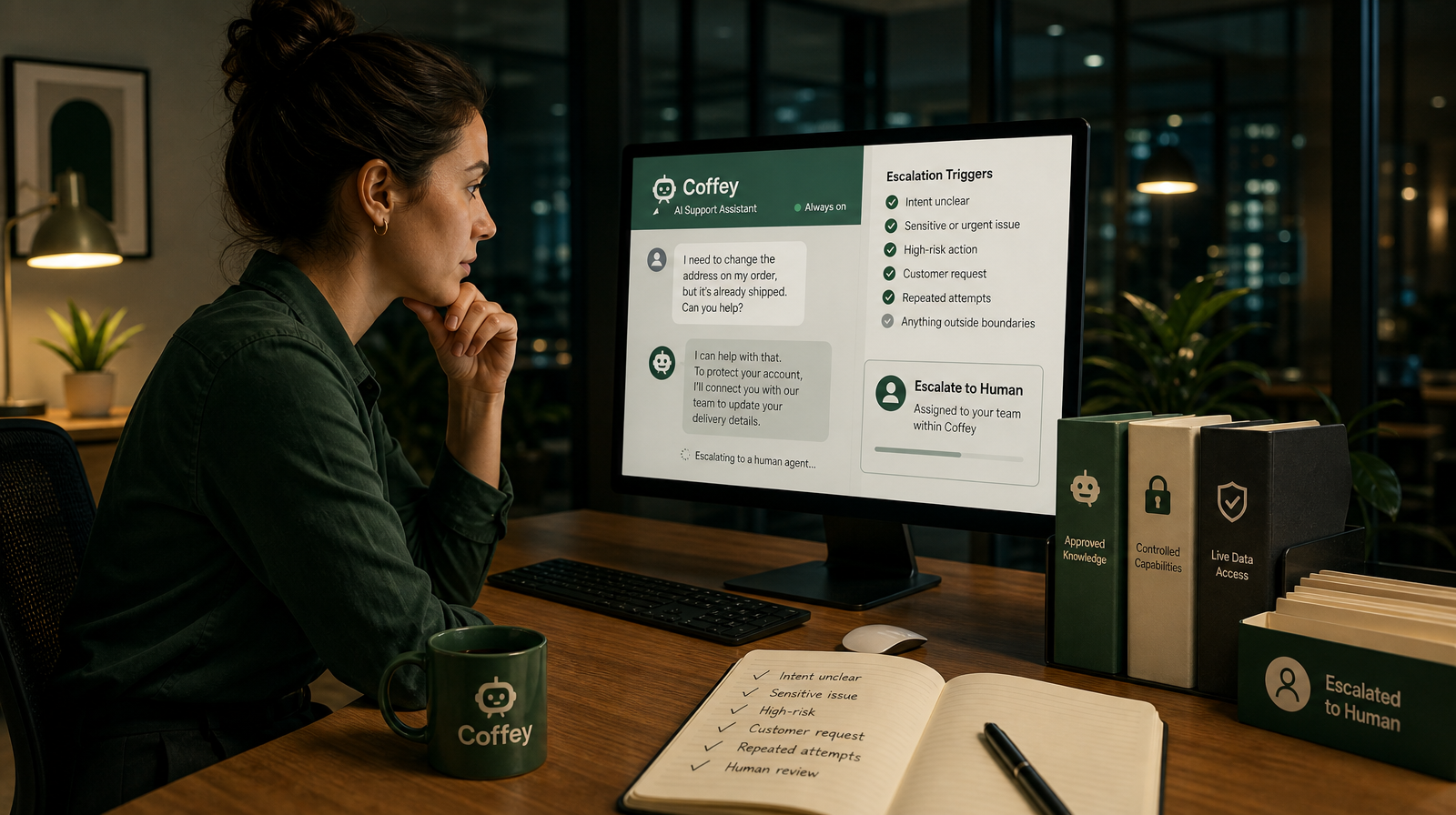
Always-on customer support raises a question that matters more than any other: not how fast an AI assistant can reply, but when it should stop and bring in a person. Speed is easy to admire. Judgement is harder to design. Get the handoff right and your customers feel supported around the clock without ever sensing that a decision was made carelessly. Get it wrong and automation quietly answers things it was never meant to.
Coffey is built for small businesses and lean teams that field customer questions around the clock but lack the staff for round-the-clock human coverage. It answers using your approved knowledge, acts on live data through capabilities you control, and escalates to your team when a human is needed. That last part is not a fallback. It is the design principle that makes everything else trustworthy.
This guide is about that boundary: how to decide what your assistant should resolve on its own, and what belongs in human hands.
Escalation Is a Feature, Not a Failure
There is a common misconception that every escalation is a sign the automation "didn't work." The opposite is true. A support assistant that never escalates is either handling nothing complicated or, worse, improvising answers it has no basis to give.
A well-designed handoff is proof of restraint. It means the assistant recognised the edge of its approved knowledge and permitted capabilities, and made the safest available decision: pause and involve someone who can exercise judgement. For a lean team, that restraint is what turns automation from a liability into a dependable layer you can leave running while you focus elsewhere.
The goal is not to eliminate human involvement. It is to reserve human attention for the conversations that genuinely need it.
Four Signals That a Conversation Should Go to a Person
You do not need a hundred rules to design a good handoff. Most escalation triggers fall into four clear categories. If you can articulate these for your own business, you have most of a working policy.
1. The question sits outside approved knowledge
If a customer asks something your assistant cannot answer from the knowledge you have explicitly approved, that is a hard stop. The right move is to escalate, not to fill the gap with a plausible-sounding guess. Grounding replies in approved knowledge is what keeps answers consistent, and the flip side of that discipline is knowing when the knowledge simply isn't there.
2. The request needs an action you haven't permitted
Answering a question and taking an action are two different things. A customer might ask the assistant to do something that touches live data or a workflow you have not granted it a capability for. When the required action falls outside what you control and approve, the conversation belongs with your team.
3. The situation carries emotional or reputational weight
Some conversations are technically answerable but still deserve a person. A frustrated customer, a sensitive complaint, a situation where tone matters as much as facts. These are moments where human judgement protects the relationship. A premium support experience knows the difference between a routine query and a moment that needs care.
4. The stakes are simply too high to automate
Anything where a wrong answer would be costly, hard to reverse, or genuinely consequential should default to human review. The safest automated decision, in these cases, is a deliberate pause.
Design the Handoff So Context Is Never Lost
Deciding when to escalate is only half the work. The other half is how. A handoff that dumps a customer into a cold queue with no history simply moves the problem. A good handoff preserves everything the person needs to pick up where the assistant left off.
Practically, that means the escalated conversation should arrive with the full thread intact: what the customer asked, what was already answered from approved knowledge, and why the assistant paused. Your team member should be able to read one conversation and act, not reconstruct it from fragments. The difference between a frustrating escalation and a smooth one is almost always context.
If you are still defining what your assistant can answer, act on and escalate before going live, our guide on how to set up AI customer support boundaries before you go live walks through establishing those four boundaries in advance.
Map Your Escalation Lanes Before Customers Ask
The teams who handle escalation best decide the rules ahead of time, not in the moment. Before you switch anything on, it helps to write down three simple lanes:
- Answer: questions your assistant can resolve directly from approved knowledge.
- Act: requests it can fulfil through a capability you have deliberately permitted.
- Escalate: anything that falls outside those two, or triggers one of the four signals above.
This mapping does two things. It gives your assistant a clear, bounded job, and it gives your team a predictable stream of only the cases that need them. For a small business, that predictability is the point. You are not trading control for coverage. You are keeping both.
Because these lanes are defined by you, they reflect your business, your tolerance for risk and your standards, rather than a generic default. That is what "you stay in control" means in practice: the escalation policy is yours, and the assistant works inside it.
The After-Hours Case: Escalation That Waits Well
Escalation looks different when nobody is at the desk. Overnight, a customer might raise something nuanced that clearly needs a person. A well-designed assistant does not pretend to resolve it. Instead, it handles what it can from approved knowledge and holds the nuanced conversation, with full context, for the team's next working hours.
The result is a calmer morning. Your team opens their queue to find routine overnight questions already handled and only the genuinely human cases waiting, each one ready to act on. If you want to understand why those overnight messages matter so much to a lean team's economics, we cover it in the real cost of after-hours customer messages for small teams.
This is where always-on coverage and human escalation stop being in tension. The assistant provides continuity; the handoff preserves judgement. Neither one is asked to do the other's job.
A Short Checklist for a Trustworthy Handoff
If you are reviewing or designing your own escalation policy, these questions are a useful test:
- Can your assistant clearly recognise when a question sits outside approved knowledge?
- Are the actions it can take limited to capabilities you have explicitly permitted?
- Do sensitive or high-stakes conversations default to a person rather than an answer?
- When it escalates, does the full conversation and its context travel with the case?
- Have you mapped your answer, act and escalate lanes before customers arrive, rather than after?
If you can answer yes to each, your automation is doing the thing that matters most: knowing its limits and honouring them.
The Point of a Good Escalation
Automation earns trust not by answering everything, but by knowing what it should not answer. For small businesses and lean teams, a clean AI-to-human handoff is what lets you keep support responsive without giving up judgement. Coffey is designed around exactly this balance: always-on where routine questions are concerned, and deliberately human where a person is needed.
The strongest support systems are not the ones that remove people. They are the ones that reserve people for the moments that deserve them, and make sure those moments arrive with everything a person needs to help well.
See how Coffey handles the balance at Coffey.cx.